

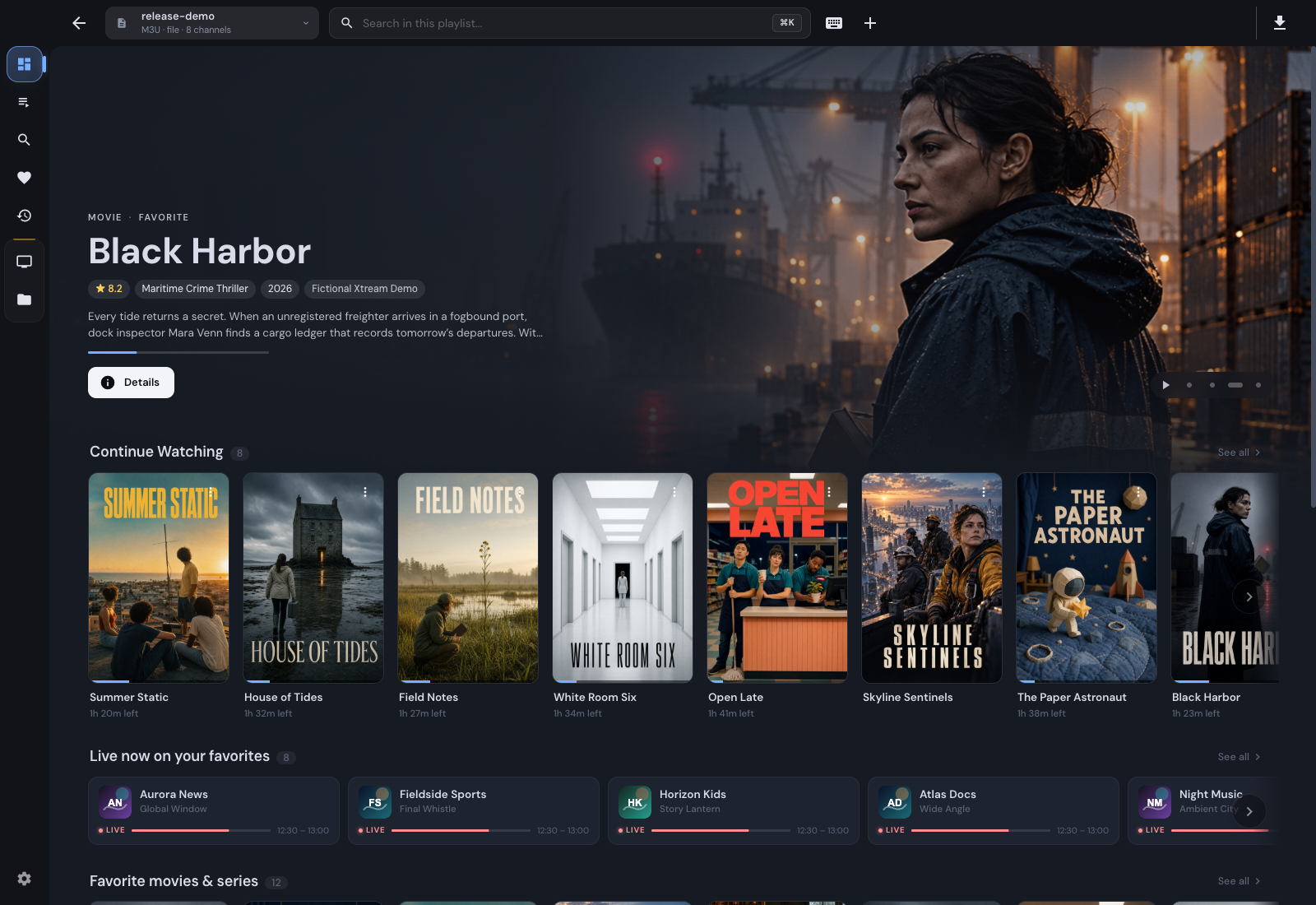
IPTVnator 0.25 introduces a shared library that can be hosted from your desktop, a redesigned browsing experience, and a PIN for selected categories. Shared Library. Start a server via Settings → Server. With home network access enabled, other devices can open the library in a browser using an access code. Desktop and browser clients can independently manage favorites, "recently watched" items, and viewing progress. Cinematic Browsing. The redesigned control panel, along with dedicated movie and series pages, makes it easier to see what’s available and jump to the right episode. The settings menu now includes a search function and a dedicated appearance page, featuring themes like Cream, Mocha, Night Owl, and Black OLED. Parental Lock. Hide specific M3U groups, Xtream categories, or Stalker genres until a PIN is entered. Playback and Live TV. Enjoy redesigned controls, an "Up Next" card for series, and provider-supplied program guides (EPG) for Xtream and Stalker services within the browser. Experimental TV Apps. Separate installation paths are now available for LG webOS, Samsung Tizen, Fire TV, and Android TV. Please refer to the TV setup guides. The changelog includes 63 new features, 221 bug fixes, and 32 performance improvements. Throughout the development cycle, 47 GitHub issues were addressed and resolved.
 A feature-rich, cross-platform IPTV player application. It supports M3U and M3U8 playlists, favorites, TV guides (EPG), catch-up/archive TV, and more. This update runs perfectly—all bugs have been squashed, and new features have been added. Enjoy! Features All your sources in one place: local or remote M3U/M3U8 playlists, Xtream Codes, and Stalker/Ministra portals. Live TV: channel groups, search, and favorites, with a multi-channel program guide for M3U and Xtream. XMLTV imports and data retrieval are handled on the desktop. Movies and series: posters, seasons, viewing history, and resume playback positions; optional TMDB metadata using your own API key. Playback options: built-in web players, support for external players (MPV/VLC/IINA), and an experimental embedded MPV player for desktop. Watch later: desktop downloads for movies and episodes, plus "continue watching" and favorites across all sources. Make it yours: light and dark themes, 21 language options, keyboard shortcuts, and a command palette (Ctrl/Cmd+K). Use your screen: desktop apps, a self-hosted PWA, and a phone-based remote control for the desktop player. A note for those who claim it contains a virus: Windows Defender often flags IPTV software as a virus because these applications are subject to strict monitoring. When using the program, disable your antivirus; remember to re-enable it once you are finished.
DOWNLOAD LINK: https://mega.nz/file/NqwAHbqQ#…L9GbtHTIwPRYDLo